Controlling the Camera
Default Camera Control System
By default, Acron runs a task that allows you to move the camera using the mouse.
The keys to navigate are:
Mouse Button |
Action |
|---|---|
Left Button |
Pan left and right. |
Right Button |
Move forwards and backwards. |
Middle Button |
Rotate around the origin of the application. |
Right and Middle Buttons |
Roll the point of view around the view axis. |
Go ahead and try this camera control system. The problem with it is that it is sometimes awkward. It is not always easy to get the camera pointed in the direction we want.
Tasks
Update the Code
Instead, we are going to write a task that controls the camera’s position
explicitly. A task is a function that Acron calls automatically every frame,
for as long as it returns Task.cont.
Update your code as follows:
 1from math import pi, sin, cos
 2
 3from direct.showbase.ShowBase import ShowBase
 4from direct.task import Task
 5
 6
 7class MyApp(ShowBase):
 8    def __init__(self):
 9        ShowBase.__init__(self)
10
11        # Load the environment model.
12        self.scene = self.loader.loadModel("models/environment")
13        # Reparent the model to render.
14        self.scene.reparentTo(self.render)
15        # Apply scale and position transforms on the model.
16        self.scene.setScale(0.25, 0.25, 0.25)
17        self.scene.setPos(-8, 42, 0)
18
19        # Add the spinCameraTask procedure to the task manager.
20        self.taskMgr.add(self.spinCameraTask, "SpinCameraTask")
21
22    # Define a procedure to move the camera.
23    def spinCameraTask(self, task):
24        angleDegrees = task.time * 6.0
25        angleRadians = angleDegrees * (pi / 180.0)
26        self.camera.setPos(20 * sin(angleRadians), -20 * cos(angleRadians), 3)
27        self.camera.setHpr(angleDegrees, 0, 0)
28        return Task.cont
29
30
31app = MyApp()
32app.run()
The procedure taskMgr.add() tells Acron’s task manager to call the
procedure spinCameraTask() every frame. This is a procedure that we have
written to control the camera. As long as the procedure spinCameraTask()
returns the constant AsyncTask.DS_cont, the task manager will continue to
call it every frame.
In our code, spinCameraTask() calculates the desired position of the camera
based on how much time has elapsed. The camera rotates 6 degrees every second.
The first two lines compute the desired orientation — first in degrees, then
converted to radians. set_pos() sets the position (Y is
horizontal, Z is vertical, so X and Y are animated while Z stays fixed at 3
units above ground). set_hpr() sets the heading, pitch, and
roll.
Run the Program
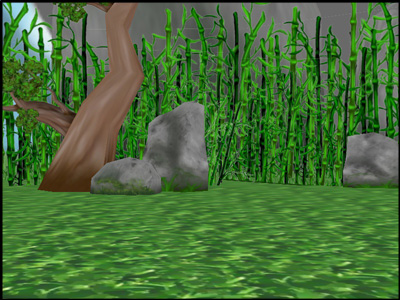
The camera should no longer be underground; and furthermore, it should now be rotating about the clearing: