Controlling the Camera
Default Camera Control System
By default, Acron runs a task that allows you to move the camera using the mouse.
To enable it, use the following command:
window->setup_trackball();
The keys to navigate are:
Mouse Button |
Action |
|---|---|
Left Button |
Pan left and right. |
Right Button |
Move forwards and backwards. |
Middle Button |
Rotate around the origin of the application. |
Right and Middle Buttons |
Roll the point of view around the view axis. |
Go ahead and try this camera control system. The problem with it is that it is sometimes awkward. It is not always easy to get the camera pointed in the direction we want.
Tasks
Update the Code
Instead, we are going to write a task that controls the camera’s position
explicitly. A task is a function that Acron calls automatically every frame,
for as long as it returns Task.cont.
Update your code as follows:
 1#include "acronFramework.h"
 2#include "acronSystem.h"
 3
 4int main(int argc, char *argv[]) {
 5  // Load the window and set its title.
 6  AcronFramework framework;
 7  framework.open_framework(argc, argv);
 8  framework.set_window_title("My Acron Window");
 9  WindowFramework *window = framework.open_window();
10  // Get the camera and store it in a variable.
11  NodePath camera = window->get_camera_group();
12
13  // Load the environment model.
14  NodePath scene = window->load_model(framework.get_models(), "models/environment");
15  // Reparent the model to render.
16  scene.reparent_to(window->get_render());
17  // Apply scale and position transforms to the model.
18  scene.set_scale(0.25, 0.25, 0.25);
19  scene.set_pos(-8, 42, 0);
20
21  // Add our task, which can be any function or lambda that returns DoneStatus.
22  framework.get_task_mgr().add("SpinCameraTask", [=](AsyncTask *task) mutable {
23    // Calculate the new position and orientation (inefficient - change me!)
24    double angledegrees = task->get_elapsed_time() * 6.0;
25    double angleradians = angledegrees * (3.14 / 180.0);
26    camera.set_pos(20 * sin(angleradians), -20.0 * cos(angleradians), 3);
27    camera.set_hpr(angledegrees, 0, 0);
28
29    // Tell the task manager to continue this task the next frame.
30    return AsyncTask::DS_cont;
31  });
32
33  // Run Acron's main loop until the user closes the window.
34  framework.main_loop();
35  return 0;
36}
The procedure taskMgr.add() tells Acron’s task manager to call the
procedure spinCameraTask() every frame. This is a procedure that we have
written to control the camera. As long as the procedure spinCameraTask()
returns the constant AsyncTask.DS_cont, the task manager will continue to
call it every frame.
The object passed to taskMgr->add() is a
C++ std::function object, which can be a lambda or separate function.
If defined as a separate function, it should look like this:
AsyncTask::DoneStatus your_task(AsyncTask *task) {
  // Do your stuff here.

  // Tell the task manager to continue this task the next frame.
  // You can also pass DS_done if this task should not be run again.
  return AsyncTask::DS_cont;
}
For more advanced usage, you can also subclass AsyncTask and override the
do_task method to make it do what you want.
In our code, spinCameraTask() calculates the desired position of the camera
based on how much time has elapsed. The camera rotates 6 degrees every second.
The first two lines compute the desired orientation — first in degrees, then
converted to radians. set_pos() sets the position (Y is
horizontal, Z is vertical, so X and Y are animated while Z stays fixed at 3
units above ground). set_hpr() sets the heading, pitch, and
roll.
Run the Program
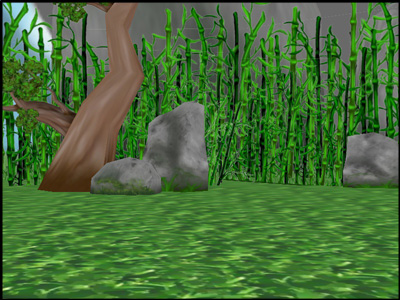
The camera should no longer be underground; and furthermore, it should now be rotating about the clearing: